MATCHA features

Integrity features

Make the writing process visible, protect independent work, and certify authorship. All MATCHA integrity features work without special permissions from the operating system.

Certified Edit History

  • Every MATCHA project records the sequence of text edits used to produce the document.
  • Edits can be replayed in the built-in player with a timeline view, gap skip, and variable speed.
  • Edits are summarized in a Writing Analysis that can be added to MATCHA outputs.

Remote Typing Certification

  • Examination software on the participant's computer can be compromised through widely available methods.
  • MATCHA protects against these forms of evasion by locating critical control code within a remote server instead of trusting only the local device.
  • This includes code that cryptographically certifies the timing of all document-altering events, using patent-pending technology to create a tamper-proof record of a document's evolution in time (U.S. patent application 64/060,717).

Copy‑Paste Control or Block

  • MATCHA prevents unwanted copy-pasting from external sources such as AI assistants.
  • In Block mode, copy-pasting from external sources is not allowed at all.
  • In Mark mode, copy-pasting is allowed but all text pasted from external sources is irreversibly marked.
  • Internal copy-pasting is always allowed and never marked.
  • MATCHA has strong protections against all techniques to inject AI-generated text (for example, auto-typers and virtual-machine-based methods).

Automation Detection

  • MATCHA prevents the use of automation to simulate human writing or reading. This works both in the editor and the browser.
  • Automated text entry is automatically rolled back. Automated browsing is marked as automated in the history and not counted toward reading statistics.
  • MATCHA also prevents the use of virtual machines and other forms of virtualization.
  • Text entry protection is currently only available for Latin letters. Broader protection will be released early 2027.

Certified .docx

  • MATCHA outputs signed .docx files that can be read by all major word processors and verified as having been produced by MATCHA with specific settings.
  • The .docx files produced for instructor-managed activities contain a cover page showing which integrity settings were enabled for the project, extensive editing statistics with a time/location graph, and, when Complete Work History is enabled, a reading analysis showing how much of cited and other works was read.
  • A .docx file's authenticity can be checked using the verification tool in the MATCHA instructor menu.

Complete Work History

  • Complete Work History adds recording capabilities to the built-in browser, including page loads, scrolls, and clicks. Reading patterns are recorded and reported as part of the Reading Analysis Report attached to MATCHA submissions, which shows how much of each cited work, other academic work, or other browsed page was read.
  • Work history is stored locally in the project file using a tamper-proof format.
  • While meant to be used as an assessment tool rather than a detection tool, this feature provides telling statistics that can be used to investigate AI misuse after the fact, such as character churn, writing time, and time fragmentation. It also has an algorithm that detects AI transcriptions using 400+ attributes of the text editing history.
  • To minimize the risk of inadvertently recording private browsing activity, this feature can only be enabled if browsing activity is restricted by an allowlist. History can be deleted by students.

Follow-up quizzes

  • MATCHA supports instructor-managed, AI-assisted follow-up quizzes designed to assess whether a submitted essay was really written by the student.
  • Quizzes can include both generic and student-specific, AI-suggested questions. AI-generated questions can be reviewed and edited as needed as part of the grading workflow before students take the quizzes.
  • Students take the quiz in person to verify their authorship of a submitted essay.
  • Our AI will offer a preliminary assessment of authorship based on quiz responses, providing a rating between 0 and 5 with an explanation.
  • We recommend making quizzes pass/fail grade components so students who didn't do the work are automatically penalized without having to pursue academic offence charges. Failing quizzes should be reviewed by a qualified human every time.
  • Follow-up quizzes require cloud submission and are unavailable at Privacy Level 4. Privacy Level 3 allows generic instructor-selected questions, but not student-specific questions or AI assessment.

Locked-Down Mode

  • This feature enforces fullscreen usage and blocks switching to other apps while a writing activity is in progress.
  • This feature is intended to be used for in-person activities.
  • MATCHA detects any software that makes itself available above it or on a different monitor.
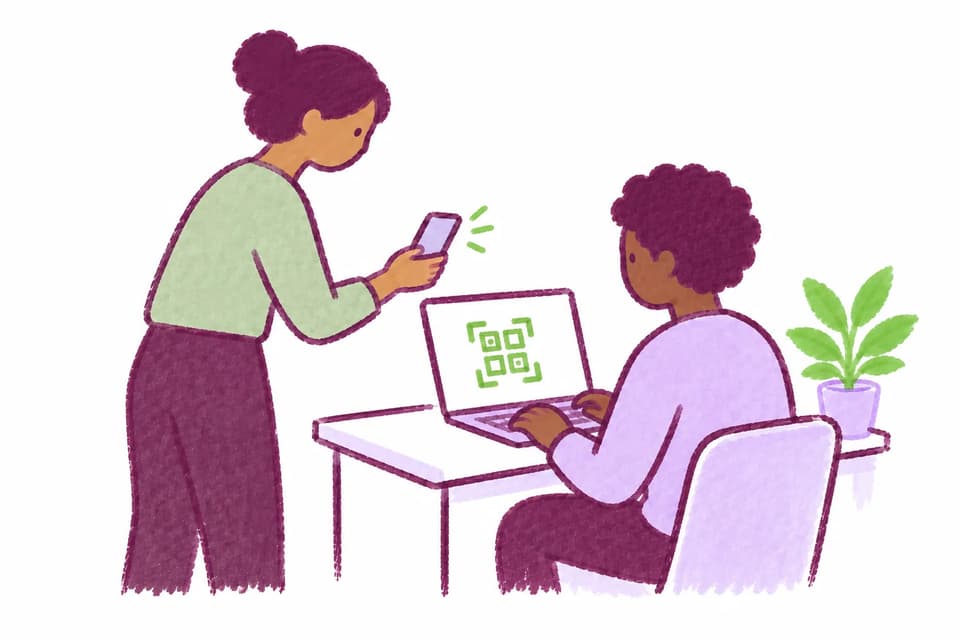
  • In case a Locked-Down Mode violation is detected (say, if an application on a timer appears above MATCHA during an exam), MATCHA locks up. A proctor needs to intervene, scanning the QR code on the student's screen to unlock MATCHA if they judge that the student should be allowed to continue.
  • MATCHA is the only real word processor with Locked-Down Mode!

Check‑In

  • Key for supervised activities, this feature prevents students from working on activities from outside supervised spaces.
  • Students are checked in and checked out using MATCHA Proctor, the free companion app for proctors. Proctors scan a QR code on students' screens for both check-in and check-out.
  • Check-in has two operating modes: immediate check-in and eventual check-in. Immediate check-in prevents students from writing until they have checked in. This is suitable for supervised writing labs and other settings in which it is practical to check in every student before they start. Eventual check-in lets students start writing without being checked in but will prevent them from submitting documents for which they are not checked in as of the time of their first edit. Proctors specify what time students are checked in as of as they scan their QRs.
  • As an added convenience, checked-in students are assigned seat numbers, which can be organized in rows and columns. This can provide useful forensic evidence in the Attendance Sheet if cheating is suspected.

Cheating Reports

  • This feature lets participants discreetly report suspicious behavior during an activity.
  • Students are provided reporting instructions at the beginning of the activity.
  • When a student reports cheating, their name, their seat number, and the relative direction of the alleged cheating are transmitted to proctors in MATCHA Proctor.
  • Check-in must be enabled to use this feature.