Features
MATCHA combines integrity features, advanced writing tools, research tools, and assignment management features in one package. These features work together to promote authorship transparency with minimal intrusion across a broad range of settings.
Integrity features
All MATCHA integrity features are optional and work without special permissions from the operating system. MATCHA manages integrity without invading privacy.
Certified Edit History
- Every MATCHA project records the sequence of text edits used to produce the document.
- Edits can be replayed in the built-in player with a timeline view, gap skip, and variable speed.
- Edits are summarized in a Writing Analysis that can be added to MATCHA outputs.
Remote Typing Certification
- Examination software on the participant's computer can be compromised through widely available methods.
- MATCHA protects against these forms of evasion by locating critical control code within a remote server instead of trusting only the local device.
- This includes code that cryptographically certifies the timing of all document-altering events, using patent-pending technology to create a tamper-proof record of a document's evolution in time (U.S. patent application 64/060,717).
Copy‑Paste Control or Block
- MATCHA prevents unwanted copy-pasting from external sources such as AI assistants.
- In Block mode, copy-pasting from external sources is not allowed at all.
- In Mark mode, copy-pasting is allowed but all text pasted from external sources is irreversibly marked.
- Internal copy-pasting is always allowed and never marked.
- MATCHA has strong protections against all techniques to inject AI-generated text (for example, auto-typers and virtual machines-based methods).
Automation Detection
- MATCHA prevents the use of automation to simulate human writing or reading. This works both in the editor and the browser.
- Automated text entry is automatically rolled back. Automated browsing is marked as automated in the history and not counted toward reading statistics.
- MATCHA also prevents the use of virtual machines and other forms of virtualization.
- Text entry protection is currently only available for Latin letters. Broader protection will be released early 2027.
Certified .docx
-
MATCHA outputs signed
.docxfiles that can be read by all major word processors and verified as having been produced by MATCHA with specific settings. - The .docx files produced for instructor-managed activities contain a cover page showing which integrity settings were enabled for the project, extensive editing statistics with a time/location graph, and, when Complete Work History is enabled, a reading analysis showing how much of cited and other works were read.
- A docx file's authenticity can be checked using the verification tool in the MATCHA instructor menu.
Complete Work History
- Complete Work History adds recording capabilities to the built-in browser, including page loads, scrolls, and clicks. Reading patterns are recorded and reported as part of the Reading Analysis Report attached to MATCHA submissions, which shows how much of each cited work, other academic work, or other browsed page was read.
- Work history is stored locally in the project file. However, it is tamper-proof because history entries are cryptographically signed by MATCHA servers.
- To minimize the risk of inadvertently recording private browsing activity, this feature can only be enabled if browsing activity is restricted by an allowlist. History can be deleted by students.
Follow-up quizzes
- MATCHA supports instructor-managed, AI-assisted follow-up quizzes designed to assess whether a submitted essay was really written by the student.
- Quizzes can include both generic and student-specific, AI-suggested questions. AI-generated questions can be reviewed and edited as needed as part of the grading workflow before students take the quizzes.
- Students take the quiz in person to verify their authorship of a submitted essay.
- Our AI will offer a preliminary assessment of authorship based on quiz responses, providing a rating between 0 and 5 with an explanation.
- We recommend making quizzes pass/fail grade components so students who didn't do the work are automatically penalized without having to pursue academic offence charges. Failing quizzes should be reviewed by a qualified human every time.
- This feature is not compatible with manual submissions and End-to-End Encryption as it requires MATCHA servers to process the essay texts.
Single-App Mode
- This feature enforces fullscreen usage and blocks switching to other apps while a writing activity is in progress.
- MATCHA detects any software that makes itself available above it or on a different monitor.
- In case a Single-App Mode violation is detected (say, if an application on a timer appears above MATCHA during an exam), MATCHA locks up. In proctored settings, a proctor needs to intervene, scanning the QR code on the student's screen to unlock MATCHA if they judge it safe to do so. In unproctored settings, MATCHA unlocks itself after a delay. The delay makes it impractical to cheat by switching back and forth between MATCHA and another app.
Check‑In
- Key for supervised activities, this feature prevents students from working on activities from outside supervised spaces.
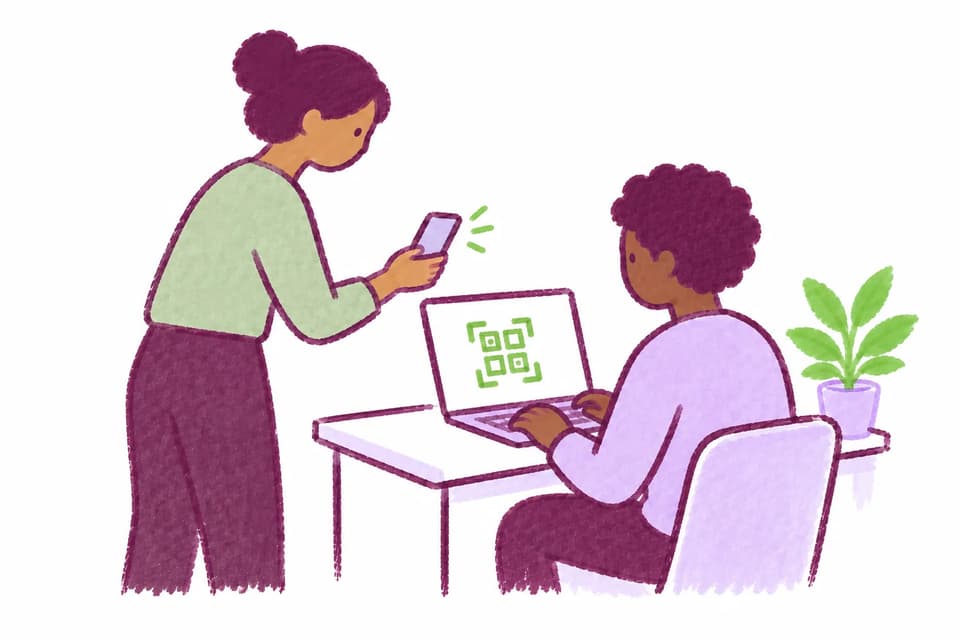
- Students are checked in and checked out using MATCHA Proctor, the free companion app for proctors. Proctors scan a QR code on students' screens for both check-in and check-out.
- Check-in has two operating modes: immediate check-in and eventual check-in. Immediate check-in prevents students from writing until they have checked in. This is suitable for supervised writing labs and other settings in which it is practical to check in every student before they start. Eventual check-in lets students start writing without being checked in but will prevent them from submitting documents for which they are not checked in as of the time of their first edit. Proctors specify what time students are checked in as of as they scan their QRs.
- As an added convenience, checked in students are assigned seat numbers , which can be organized in rows and columns. This can provide useful forensic evidence in the Attendance Sheet if cheating is suspected.
Cheating Reports
- This feature lets participants discreetly report suspicious behavior during an activity.
- Students are provided reporting instructions at the beginning of the activity.
- When a student reports cheating, their name, their seat number, and the relative direction of the alleged cheating is transmitted to proctors in MATCHA Proctor.
- Check-in must be enabled to use this feature.
Productivity Features
Tools that help writers stay in flow while researching, formatting, and organizing ideas.
Built-In Browser
- Adds a built-in browser pane for LMS pages, readings, library databases, and other approved web resources.
- Browser configurations (including allowlists) can be shared between courses and instructors within an organization.
- MATCHA includes a default browser allowlist of common academic sources that instructors can extend or narrow for each activity.
- This feature works well with Complete Work History .
Reference Management
- MATCHA has built-in reference management.
- You can import bibliographies from all major bibliography managers and add citations in the main citation formats.
- Add works to your library by clicking "Add to library" on hundreds of supported academic websites.
- Thanks to Auto Citing, cited works are automatically added as you copy-paste from support PDFs or web pages.
- All major citation styles are supported, including APA, MLA, and Chicago. The instructor sets the style so students don't have to worry about doing the right thing.
Auto Citing
- MATCHA automatically parses citations on major search indexes and hundreds of other sources.
- When text is copied from a supported source, the corresponding bibliography entry is automatically added to the library, the cited text is put in quotation marks, and a citation is added to the text.
- It is also possible to go back to the original text by right-clicking the pasted text.
Direct Citing
- MATCHA has reference management built-in, but we know that most people do not have a well-curated reference list.
- That's why MATCHA offers Direct Citing: Type some keywords, select a search result from one of the many supported citation indexes, and your citation is added to the text, the bibliography, and reference database.
Rich BUT Semantic Editing
- MATCHA offers rich text editing, including tables, figures, footnotes, references, various text styles, and an easy, visual, LaTeX-compatible math mode.
- At the same time, it is a content editor, not a typesetting system.
- MATCHA leaves typesetting to LaTeX, the uncontested winner in this area.
- In instructor-led projects, basic text formatting parameters such as line spacing and font family are set by the instructor rather than the student, helping to standardize the look of submitted essays.
Managed Cross-References
- Create references to figures, tables, sections, and other numbered items without hand-editing labels.
- Cross-references stay connected to their targets as the document changes, and numbering is automatic.
- A time-saving feature for large documents with many cross-references.
LaTeX Input/Output
- For publication or printing, MATCHA offers seamless, code-free LaTeX output and rendering.
- Using the built-in LaTeX engine, you don't even have to have a LaTeX distribution on your computer (but you can bring your own).
- The LaTeX Preview pane allows you to see exactly what the rendered document will look like.
- MATCHA can also import LaTeX documents, converting commands for labels, citations, tables, footnotes, figures and more. MATCHA is not a typesetting application, so it only interprets core semantic commands, but it preserves and passes through all uninterpreted commands for LaTeX rendering.
AI Assistant
- For many purposes, it makes sense to use AI to generate or improve text.
- MATCHA recognizes this, providing a fully integrated AI assistant.
- All AI-made changes to a document are tracked and auditable.
- In pedagogical settings, instructors can control the level of help provided by the AI assistant: none, grammar correction only, grammar and style, and full composition help.
Pedagogical AI
- In pedagogical mode, MATCHA's optional built-in AI assistant guides students to correct their grammatical and stylistic mistakes rather than correcting them all automatically.
- It makes some corrections, leaves some errors for the student to correct, highlights the passages in need of revision, and provides feedback on the student's correction attempts.
- This type of intervention promotes learning rather than dependence on AI.
Notes
- Adds a separate notes pane so participants can outline ideas, copy quotations, or draft fragments without mixing them into the main submission.
- Note edits are tracked just like edits in the main document.
Cloud Sync
- MATCHA Writer can save documents in MATCHA Cloud in addition to local files, with the result that documents are always up to date on all authorized devices.
- This feature is currently incompatible with Complete Work History.
Live Collaboration
- Cloud Sync-enabled documents can be shared with other MATCHA users, enabling live collaboration with fine-grained access controls.
- MATCHA tracks the work of each author separately and includes an author participant breakdown as part of its work analysis reports.
Snapshots and Rollback
- MATCHA is by nature a history-preserving text editor.
- It allows users to create named snapshots before making big changes so they can easily come back to the named version at a later point.
- Soon, a feature will also be added to rollback to any previous point in time.
Activity Management
Features for managing courses, activities, and submissions.
Enterprise-Ready Activity Management
- MATCHA activities are part of courses, which are parts of organizations.
- An organization can have multiple instructors, proctors, and administrators.
- Much of MATCHA's behavior can be controlled through activity settings and configuration objects such as Browser Configs, Proctor Lists, and ID Configs, which can be standardized within an organization and shared between instructors.
Cloud Submissions
-
Collect .docx files and
.mchareplay files through your cloud storage provider of choice (including MATCHA Cloud). - Submissions are organized by course and activity.
- Submissions can be organized in groups to facilitate grading by multiple graders.
- Enterprise customers can exercise close control on cloud targets to ensure compliance with data security and privacy policies.
Grading Tool
- MATCHA has a built-in grading tool in the Instructor menu.
- Download all cloud-submitted essays with one click.
- Browse and open the essays from MATCHA.
- Insert comments, including saved comments from your comment bank, directly with MATCHA.
- Enter grades and either export them as a CSV file or submit them using LTI if this integration is enabled.
- Grades are saved locally on your computer only.
LTI Integration (coming by September 2026)
- MATCHA can use LTI to authenticate students and enable grade submission from its built-in grading interface.
- To enable this feature, LMS administrators need to configure MATCHA as an LTI tool.
Privacy Levels and End-to-End Encryption
- Course privacy levels let institutions choose how much student information MATCHA services can process, from standard managed workflows to zero-trust activity design.
- Privacy Level 1, Standard: MATCHA can process student identity, activity data, and work histories when enabled features require it, with an activity-specific disclosure before students begin.
- Privacy Level 2, No PII sharing: student names, IDs, and emails are encrypted end to end between MATCHA Writer and authorized course staff. MATCHA receives only placeholder identity fields and allowed anonymous control data.
- Privacy Level 3, No student information sharing: extends end-to-end encryption to protected student work products, work histories, and submissions, so MATCHA cannot read student work.
- Privacy Level 4, Zero Trust: adds course-pack-only browsing to Level 3, so students do not need to trust MATCHA Writer or MATCHA services with ordinary web-browsing credentials or confidential browsing activity.
- Privacy Levels 2 and above use a course passphrase/private key model that MATCHA cannot recover, giving instructors protected access while keeping encrypted course data unreadable outside the institution.
- For more information, see the Data Protection and Privacy page .
Anonymous Submissions
-
Keeps the participant's identity out of the generated
.docxfile to support blind grading workflows. - This does not remove names or identifiers that the participant types into the document itself.
Attendance Sheets
- For in-person activities such as exams, MATCHA automatically generates an attendance sheet as part of the check-in process.
- The attendance sheet includes assigned seat numbers, check-in time, and check-out time.